How to Organize a Rummy Hand on a Small Screen
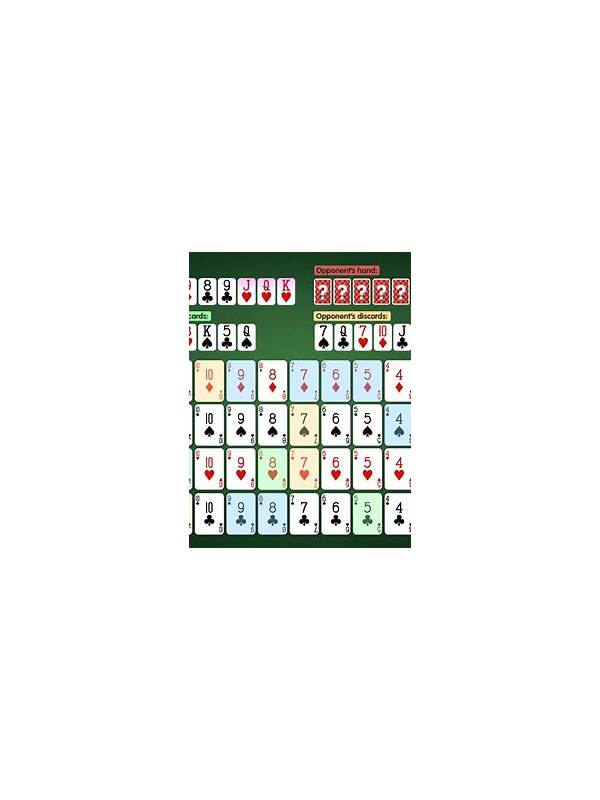
Small screens can make a manageable hand feel crowded. Cards may be close together, text may be tiny, and a single accidental tap can disrupt your arrangement. Good organization reduces those problems by giving every card a visible purpose and keeping the most important information in view.
Begin by using the app’s sorting tools if they are reliable, but do not assume automatic sorting reflects your strategy. Sort first by suit and rank, then separate cards into provisional groups. Leave a small visual gap between a likely sequence, a pair, and uncommitted cards. Even a narrow gap helps your eyes locate the hand’s structure.
If the app allows manual rearrangement, place the most stable group on one side and the uncertain cards on the other. Keep a joker or wild card near the groups it could support, but do not hide its independent value. When the hand changes, move the card immediately. Delayed rearrangement is a common cause of treating an old plan as if it were still current.
Use display settings that improve reading without creating new distractions. Increase text size, enable a high-contrast mode, and avoid decorative backgrounds that reduce suit visibility. Keep notifications silent during a focused hand. On a shared or public device, disable previews that could expose account information.
Before drawing, confirm which pile you are selecting. On a small screen, the closed and discard piles may be close enough that a hurried tap has consequences. After drawing, wait for the card to appear fully before reorganizing. If the interface lags, repeated taps can produce confusion or an unintended action.
If your fingers cover the cards, use a supported landscape view or a larger device for practice. Do not play while walking, driving, or handling anything that requires attention. Screen comfort is part of decision quality and physical safety.
Finally, check the hand at natural pauses rather than constantly dragging cards. A stable layout is easier to read than a continually shifting one. Organize around clear groups, keep uncertain cards visible, and use accessibility settings that let you inspect the hand without strain.
Practice the layout before using a new interface for an important session. Open a free or tutorial hand, rearrange several times, and learn how to undo an accidental move. Knowing the recovery action reduces panic if a card jumps to the wrong position. Familiarity with the display is a small form of preparation that pays off when attention matters.