Rummy Safety: Secure Your Screen During Shared Practice
Screen sharing can make a rummy lesson or friendly review easier, but it can also expose private cards and account information. Before starting, decide exactly what the other person needs to see and share only that surface.
Close unrelated tabs, messages, payment pages, and account settings. Notifications can reveal names, previews, or one-time codes even when the shared app looks safe. Use the operating system’s notification pause or focus setting, and check that it is active before you begin. Do not rely on quickly dismissing a banner after it appears.
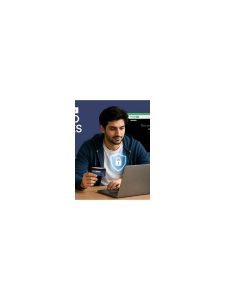
Choose a specific window instead of the entire desktop when the software allows it. If you must share the full screen, move private material out of view and hide bookmarks or saved addresses that reveal more than necessary. A short preview with a trusted participant can confirm that the correct window is visible, but do not send screenshots containing passwords or authentication codes.
Be careful with control permissions. Viewing a practice table does not require remote control, file access, or the ability to open links. Keep control disabled unless there is a clear, temporary reason to enable it. If control is needed, agree on when it ends and turn it off immediately afterward. Never install an unverified remote-access tool because someone claims it is necessary for a game or reward.
Remember that a private hand can still be sensitive. Share it only with people who should see it, and explain whether the session may be recorded. If a recording is created, check where it is stored and who can access it. Remove it when the agreed review period is over, according to the platform’s controls.
At the end, stop sharing before opening other apps. Review the meeting or room participant list, revoke temporary access, and sign out if you used a shared device. These steps take less time than repairing an accidental disclosure.
Good screen-sharing practice keeps the lesson focused: one window, one audience, no unexpected controls, and no private notifications in the frame.
If you notice an exposed detail, stop sharing first and discuss the privacy issue afterward. Do not keep playing while hoping nobody saw it. A short interruption is easier to manage than a longer exposure, and it gives everyone a clear reminder that the practice table is separate from personal account activity.
Before a future session, repeat the setup as a small checklist: private windows closed, notifications paused, shared window selected, recording understood, and control permissions off. Repeating the same check is more reliable than trusting memory, especially when a lesson begins in a hurry.